AI Office Design: How to Plan a Home Office You Actually Want to Work In
Key Takeaways
- AI office design turns a phone photo of your spare room into a finished, styled office in about 30 seconds.
- You can test 6 to 10 different styles before you commit to paint, flooring, or built-ins.
- Most failed home offices come from skipping the visualization step and ordering furniture that does not fit the space.
- A solid mid-range home office build runs $4,000 to $12,000 depending on whether you add millwork.
- AI handles the look. You still have to plan electrical, lighting, and acoustics yourself.
Why Most Home Offices End Up Looking Like Spare Rooms
I have walked into a lot of home offices that started life as a spare bedroom and never quite left.
A desk shoved against a wall. A folding chair. One sad floor lamp. The Ikea bookcase that came from the old apartment. It is not a workspace, it is a holding pen for the laptop.
The problem is rarely budget. The problem is that nobody can picture what the room could look like before they start buying things. So they buy piecemeal, regret half of it, and end up with a space that feels temporary even three years in.
That is exactly the gap AI office design fills. You hand the AI a photo of the room, pick a style, and see the finished result before you spend a dollar. No more guessing.
What AI Office Design Actually Does
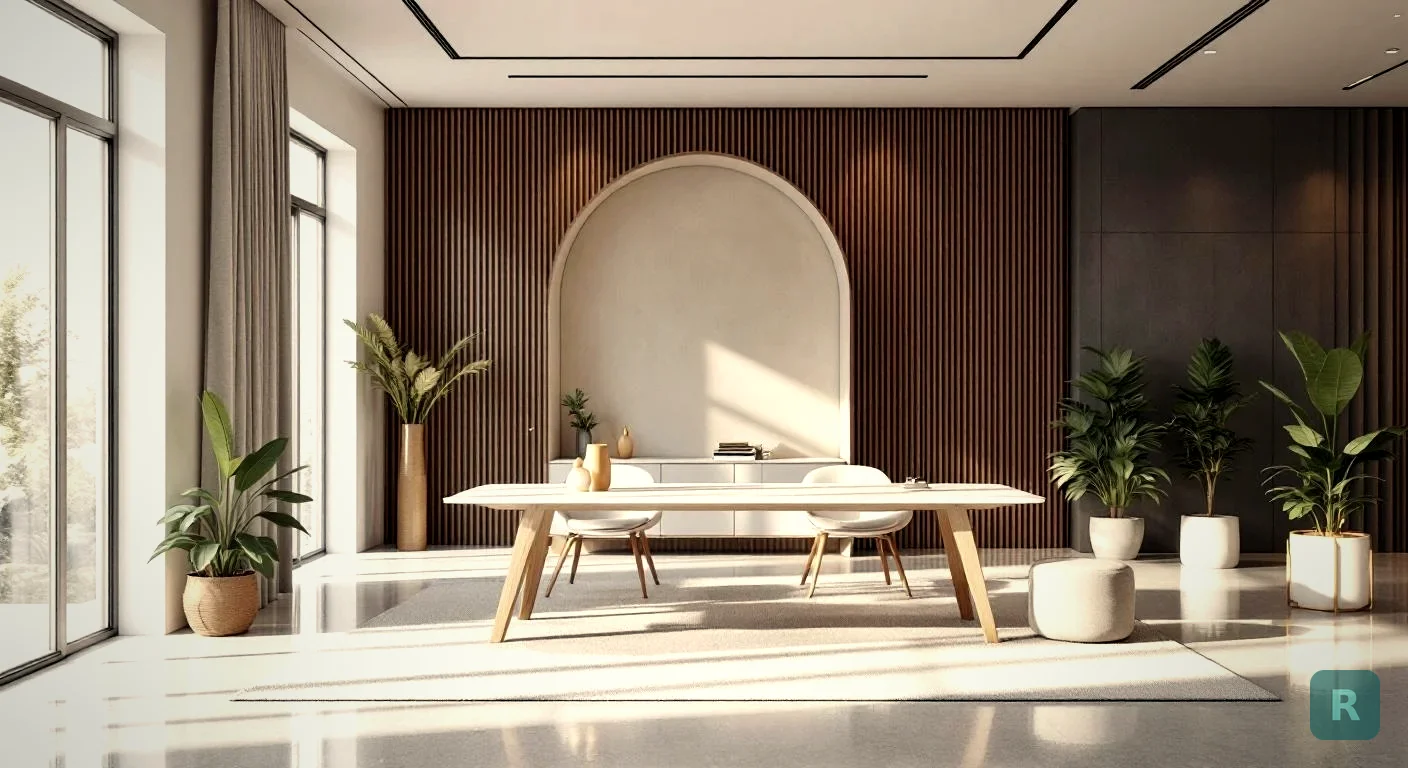
The short version: you take a photo with your phone, choose a design style, and the AI renders that same room in that style. Same windows, same dimensions, same proportions. Different finishes, furniture, lighting, color palette.
It is not a rough sketch. It is a photoreal render of your actual space, which means you can show it to your spouse, your contractor, or your designer and have a real conversation about what you want.
I built ReVision AI to do exactly this, because for years on jobsites I was watching homeowners try to describe what they wanted using Pinterest screenshots that looked nothing like their actual space. The screenshots were inspiring. They were also lying. The room was 9 feet wide, not 14. The ceiling was 8 feet, not vaulted. The Pinterest photo was useless once we started swinging hammers.
A render of your room solves that.
The Office Styles That Hold Up Long Term
Trends come and go. The styles I see hold up over a 5 to 10 year window are the ones with restraint. Here is a comparison of the office looks I see most often in remodels, and who each one tends to fit.
| Style | Vibe | Best For | Watch Out For |
|---|---|---|---|
| Modern Farmhouse | Warm, light wood, shiplap accents | Older homes, suburban builds | Going too "barn door" and dating the room |
| Japandi | Quiet, low furniture, natural materials | Small offices, focus-heavy work | Looking sterile if you skip warmth |
| Mid-Century Modern | Walnut, clean lines, retro chairs | Creative work, video calls | Cheap repro furniture wrecks the look |
| Industrial | Black metal, exposed brick, leather | Garages, basements, lofts | Bad lighting kills it. You need lumens. |
| Scandinavian | White, light oak, soft textiles | North-facing rooms, small spaces | Reads cold without rugs and warm bulbs |
| Contemporary | Mixed materials, neutral palette, sculptural lighting | Open-concept floor plans | Moves fast, dates faster than people expect |
If you are not sure which one fits, that is the whole point of testing them on a real photo of your space. You stop guessing. Try a few on the styles page before you commit.
How to Plan Your Office in 5 Minutes With AI
I have walked clients through this exact flow on jobsites. It saves both of us hours.
Stand in the doorway. Hold the phone at chest height. Get the whole room in frame, including the floor and ceiling. Bad photo in, bad render out.
Do not just pick your favorite. Pick your favorite, one you are curious about, and one your spouse keeps mentioning. You will be surprised which one wins.
30 seconds each. Save all three. Sit with them for a day.
Maybe you want the desk from the Japandi render and the rug from Mid-Century. Use what you like, leave the rest.
Now you are shopping with a target, not browsing Wayfair at midnight. Big difference in the final result.
What It Actually Costs to Build Out
Renders are free. The room is not. Here is what I see clients spend on a real home office build in the Pacific Northwest, mid-range finish level, no structural changes.
Skip the built-ins and you are at the lower end. Add custom millwork, soundproofing, and a hardwired desk setup and you are pushing $15K. None of that is wrong. It is about what the room is worth to you.
Run the AI render first, then price out only the rooms and styles you actually want. Most people waste money pricing options they would never live with. See it, then bid it.
The Mistakes I See on Almost Every Office Remodel
After 20 plus years on jobsites, I see the same misses over and over. AI rendering catches some of these. The rest you have to plan for yourself.
Wrong desk size. People buy a 72 inch desk for a 10 by 11 room. The desk wins. The room loses. If you render the space first, you can eyeball the scale before you order anything. That alone saves 80% of regret purchases.
No real lighting plan. One overhead can light is not a workspace. You need ambient, task, and accent. Plan three layers. A render shows you what looks good. Your electrician makes it work in real life.
Pretty desk, useless storage. Cable management, file storage, and a place for the printer are not optional. Render the look, but leave room in the budget for the boring stuff.
Forgetting acoustics. Hardwood floors, big windows, no rugs. The room looks great and sounds like a tin can on every video call. A rug, curtains, and an upholstered chair fix 80% of it.
If you are in an older home, the wall the AI says your desk should go on may have one outlet from 1978. I have opened up a lot of walls expecting a simple office swap and found knob-and-tube. Have an electrician walk the room before you fall in love with a layout.
What AI Cannot Do for You (Yet)
I want to be honest about this because I built the tool and I still tell clients the same thing.
AI office design nails the look. It does not handle:
- Electrical loads. Your desk plus monitor plus printer plus space heater on one 15-amp circuit is a fire waiting to happen.
- HVAC. A converted garage office is going to be cold in February no matter how good the render looks. Plan a mini-split or extend the duct.
- Acoustics. Renders are silent. Real rooms echo.
- Permits. If you are converting a space (garage, attic, basement) you likely need a permit. Renders skip this part.
My Take After Building Hundreds of Rooms
Here is what I tell every client who is staring at a spare bedroom and not sure where to start.
You do not have a budget problem. You have a vision problem. Once you can see the finished room, decisions get easy. The desk you want becomes obvious. The paint color stops being scary. The conversation with your contractor goes from 90 minutes to 20.
I have built hundreds of kitchens and bathrooms, and the projects that go smooth are always the ones where the homeowner showed up with a clear picture in their head. The projects that get messy are the ones where they were still figuring it out at the lumber yard.
AI office design is just the fastest way to get to the clear picture. Use it before you spend money, not after.
Your Next Steps
- Take a wide-angle photo of the room you want to convert into an office.
- [Try it free with ReVision AI](https://apps.apple.com/us/app/revision-ai-home-remodel/id6758485784) and render the same room in 3 different styles.
- Live with the renders for a day. Show your spouse. Pick the one you keep coming back to.
- Build a buy list with real measurements, not Pinterest guesses.
- Walk an electrician and a contractor through the room before you order anything custom.
- Check out the [gallery](/gallery) for before-and-after examples of rooms transformed with AI.
- Set a budget with 15% contingency. Older homes always have a surprise behind a wall.
Get Design Inspiration Weekly
Fresh room makeover ideas, renovation tips, and style guides delivered to your inbox.
Design tips and inspiration only. Unsubscribe anytime.
Related Articles
Bathroom Designers: Who to Hire, What They Charge, and How to Prep
Bathroom designers come in four kinds and charge four ways. A contractor explains which one fits your remodel and how to show up ready to the first meeting.
8 min readApartment AI: How to Redesign a Rental You Are Not Allowed to Renovate
Apartment AI tools let renters see a redesigned space before spending a dollar. A contractor explains what actually changes a rental and what just wastes money.
8 min readAI Restaurant Design: Testing a Dining Room Before You Gut It
AI restaurant design turns a photo of your dining room into a finished concept in seconds. A remodeler's honest take on what it solves and what it hides.
8 min read