AI Room Decorator: Turn a Phone Photo Into a Real Design Plan
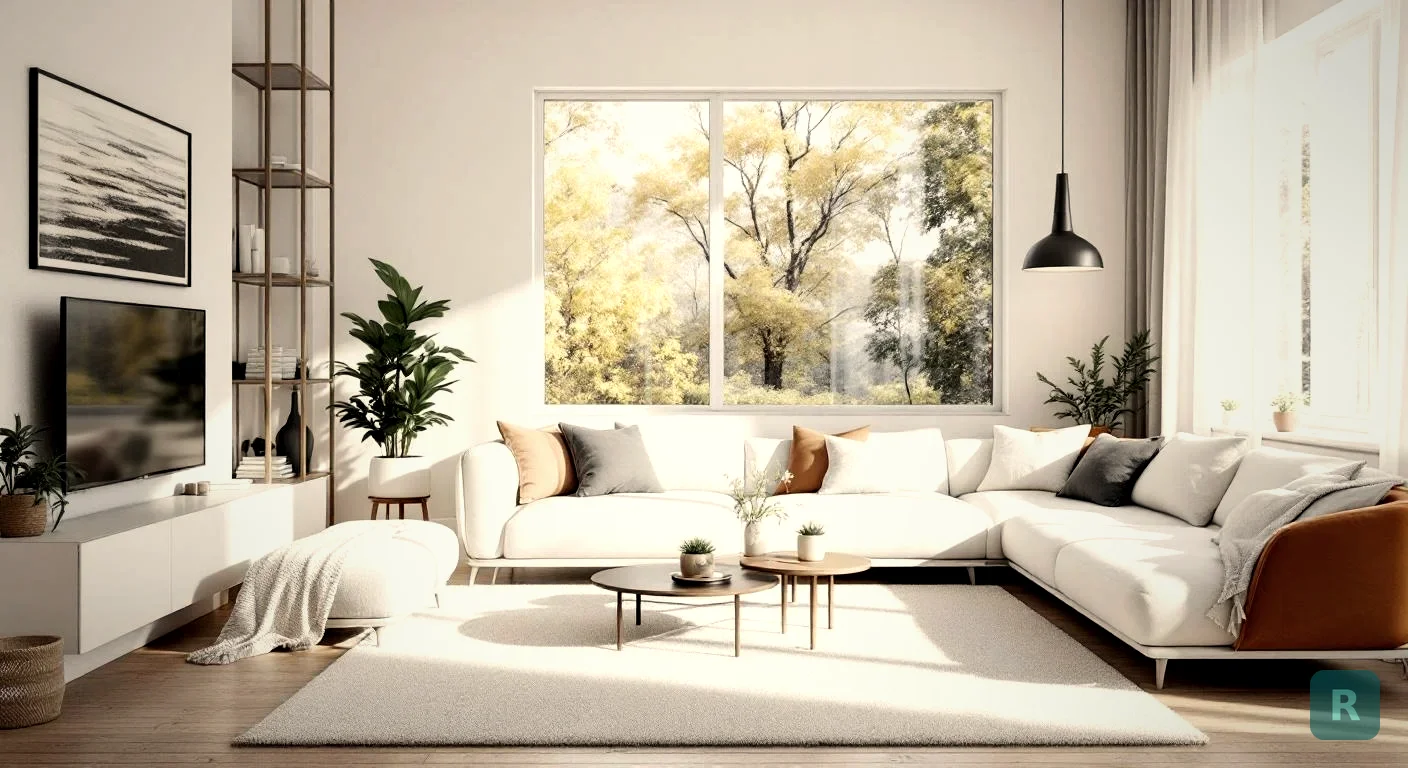
I’ve spent twenty years remodeling kitchens and bathrooms, and the same conversation happens almost every job. The homeowner stands in the empty room, squints, and says, “I just can’t picture it.” That’s the gap an AI room decorator is built to fill.
It’s a phone-based tool that takes a photo of a room you actually own and shows you what it could look like in a different style. Not a stock photo of someone else’s house. Yours. Same windows, same proportions, same weird soffit over the fridge.
This post is the contractor’s take. What these tools do well, where they over-promise, and how to use one without getting burned.
Key Takeaways
- An AI room decorator restyles a photo of your real room in seconds, not weeks.
- The best ones keep your room’s bones intact: walls, windows, ceiling height, layout.
- Treat the output as a conversation starter with your contractor, not a buildable blueprint.
- Skip the tools that swap your room for a stock photo. That’s not decorating, that’s a mood board.
- Free trials are everywhere. Use them before paying for any subscription.
What an AI Room Decorator Actually Does
You snap a photo. You pick a style. The tool returns a new image of the same room reimagined in that style. That’s the whole pitch.
The good ones preserve the geometry of your space. Same window placement. Same door frames. Same floor outline. Only the finishes, furniture, paint, and fixtures change. That preservation is the whole point. If the AI invents a new floor plan, the picture is useless to you because it’s not your room anymore.
I’ve watched homeowners go from “I have no idea what I want” to “that, exactly that” in about four minutes with a tool like this. The unlock isn’t the AI. It’s seeing their actual space transformed.
The Styles That Work Best
Not every style translates well to a phone-shot photo. Some have so many small details that the AI either nails them or makes them look like a melted Pinterest board. The categories I see homeowners pick most:
- Modern Farmhouse (clean, easy for AI to render)
- Japandi (minimalist, hard to mess up)
- Mid-Century Modern (warm wood and clean lines)
- Industrial (concrete, metal, exposed brick)
- Coastal (light palette, easy textures)
If you want to see how each one actually looks before you commit, our styles gallery walks through every option side by side.
Why This Matters for the Average Homeowner
Most homeowners don’t have a designer. Most contractors don’t have one either. I sure don’t have a designer on staff at Pacific Remodeling, and I’d guess 90% of the small remodelers in my market are the same.
So who fills the gap? Pinterest, mostly. The homeowner builds a board of pretty rooms that have nothing to do with their actual space, and we both squint at it trying to figure out what they really want.
That process is slow. It causes change orders. It causes the dreaded “this isn’t what I thought it would look like” conversation after the tile is already on the wall.
Generate at least three style variations of your existing room before any contractor swings a hammer. Bring them to your bid meeting. You'll get tighter quotes and fewer change orders because the contractor knows exactly what you're picturing.
The Big Difference Between Decorator Apps
Here’s where I have to be blunt. A lot of “AI room decorator” apps are not actually decorating your room. They’re showing you a photo of someone else’s room that vaguely matches what you described.
That’s a mood board generator. Different tool. Useful, but different.
A real AI room decorator does this:
- Reads the photo you uploaded.
- Identifies walls, floor, windows, ceiling.
- Replaces materials, fixtures, and furniture in place.
- Returns the same room, restyled.
If the result doesn’t have your window in the same spot, you got a mood board, not a decorator.
A Quick Sniff Test
Before you trust any tool with your remodel decisions, run this test. Snap a photo of any room with one obvious feature, like a corner fireplace or an arched doorway. Run it through the app. Did the feature stay? If yes, the AI is actually working with your space. If no, it’s spitting out generic interior photos.
What These Tools Are Bad At
I’d be doing you a disservice if I only listed the upsides. AI room decorators have real limits.
Construction reality. The AI doesn’t know that wall is load bearing. It doesn’t know you can’t reroute the plumbing without a permit. It will happily delete a wall and show you an open-concept dream that costs $40,000 in structural work.
Material accuracy. That gorgeous “marble” countertop in the render? Could be quartz, could be porcelain, could be a finish that doesn’t exist as a product. The AI is showing a vibe, not a SKU.
Lighting and shadow. Sometimes the rendered light direction doesn’t match your real windows. Cool image, useless for understanding how the room will actually feel at 4pm in November.
Scale. I’ve seen renders with 12-foot couches and 4-foot refrigerators. Use the image for inspiration, not measurements.
| What AI Decorators Do Well | What They Don't Do |
|---|---|
| Style exploration | Structural feasibility |
| Color palette ideas | Accurate material specs |
| Furniture arrangement concepts | True-to-scale measurements |
| Quick what-if comparisons | Code, permit, or budget reality |
| Conversations with your contractor | Replacing a real designer |
How I’d Use One on a Real Remodel
If I were a homeowner planning a kitchen or bath project today, here’s the order I’d run it.
Step 1: Define Your Real Constraints First
Before any app, write down your budget, your non-negotiables, and your hard nos. Maybe you can’t move the sink because the plumbing is on an exterior wall. Maybe you have a budget cap of $30K. The AI doesn’t care about any of that, so you have to.
Step 2: Photograph Each Room Honestly
Daylight. Wide angle if your phone supports it. Stand in the doorway and shoot the long view. Don’t stage. The AI works better with a clean, well-lit shot of the room as it actually is.
Step 3: Generate Three to Five Style Variations
Don’t pick one and stop. Generate Modern Farmhouse, Japandi, Mid-Century, and one or two more. You’ll learn what you like by elimination. Save every result.
Step 4: Bring the Renders to Your Contractor
This is the part most homeowners skip and it’s the most valuable. Hand the contractor your favorite renders. Ask what’s possible, what’s not, and what each version would cost. You’ll get a faster, more accurate bid because the scope is suddenly very specific.
What This Costs (and What’s Free)
Most AI room decorators have a free tier. ReVision AI gives you three free transformations before any subscription kicks in. Other tools have monthly limits or watermarked outputs on the free plan.
The paid tiers usually run $5 to $15 a month. Compared to a one-day consultation with a real interior designer at $150 to $300 an hour, the math is obvious for most homeowners.
That said, if you’re doing a full whole-home remodel north of $100K, hire a real designer too. The AI is for ideation. The designer is for execution.
Where ReVision AI Fits In
I built ReVision AI because I kept running into the design gap on my own jobs. My homeowners couldn’t visualize. I couldn’t draw. The Pinterest dance was killing my close rate.
The app is built around the way contractors actually think. Snap, choose a style, see the result. Eleven curated styles plus a custom prompt option for the homeowner who knows exactly what they want.
It’s not a replacement for a designer on a high-end project. It’s the tool I wish I’d had on every kitchen and bathroom I’ve sold over the last two decades.
Try it free with ReVision AI and see what your room could look like in a few different styles. The first three are free, no commitment.
Common Questions I Hear
Will the AI design something my contractor can actually build?
Sometimes. Usually it shows a vibe rather than a buildable spec. Always run the render past your contractor before you assume it’s possible.
Can I use this for a whole house, not just one room?
Yes, but do it room by room. The AI works on the photo you give it. Whole-home consistency is your job, not the AI’s.
Does it work on outdoor spaces?
Some tools do. Patios, decks, and front yards work reasonably well. Pools and complex landscaping struggle.
Is the design copyright mine to use?
Read the terms of the specific app. Most consumer apps grant you a license to use the output for personal projects. Commercial use is usually a different tier.
Your Next Five Moves
- Pick the room that’s bugging you the most. Just one to start.
- Take a clean wide shot in daylight, no staging.
- Run it through an AI room decorator like ReVision AI and pick three styles to test.
- Compare the renders side by side. Cross off the ones that don’t feel like home.
- Bring your top two renders to a contractor and ask what each one would actually cost to build.
That’s the workflow. Do it in that order. You’ll get a tighter budget, a clearer plan, and far fewer “wait, that’s not what I expected” moments after demo day.
Get Design Inspiration Weekly
Fresh room makeover ideas, renovation tips, and style guides delivered to your inbox.
Design tips and inspiration only. Unsubscribe anytime.
Related Articles
Bathroom Designers: Who to Hire, What They Charge, and How to Prep
Bathroom designers come in four kinds and charge four ways. A contractor explains which one fits your remodel and how to show up ready to the first meeting.
8 min readApartment AI: How to Redesign a Rental You Are Not Allowed to Renovate
Apartment AI tools let renters see a redesigned space before spending a dollar. A contractor explains what actually changes a rental and what just wastes money.
8 min readAI Restaurant Design: Testing a Dining Room Before You Gut It
AI restaurant design turns a photo of your dining room into a finished concept in seconds. A remodeler's honest take on what it solves and what it hides.
8 min read