GAF Virtual Remodeler: How to Use It and What It Won't Tell You
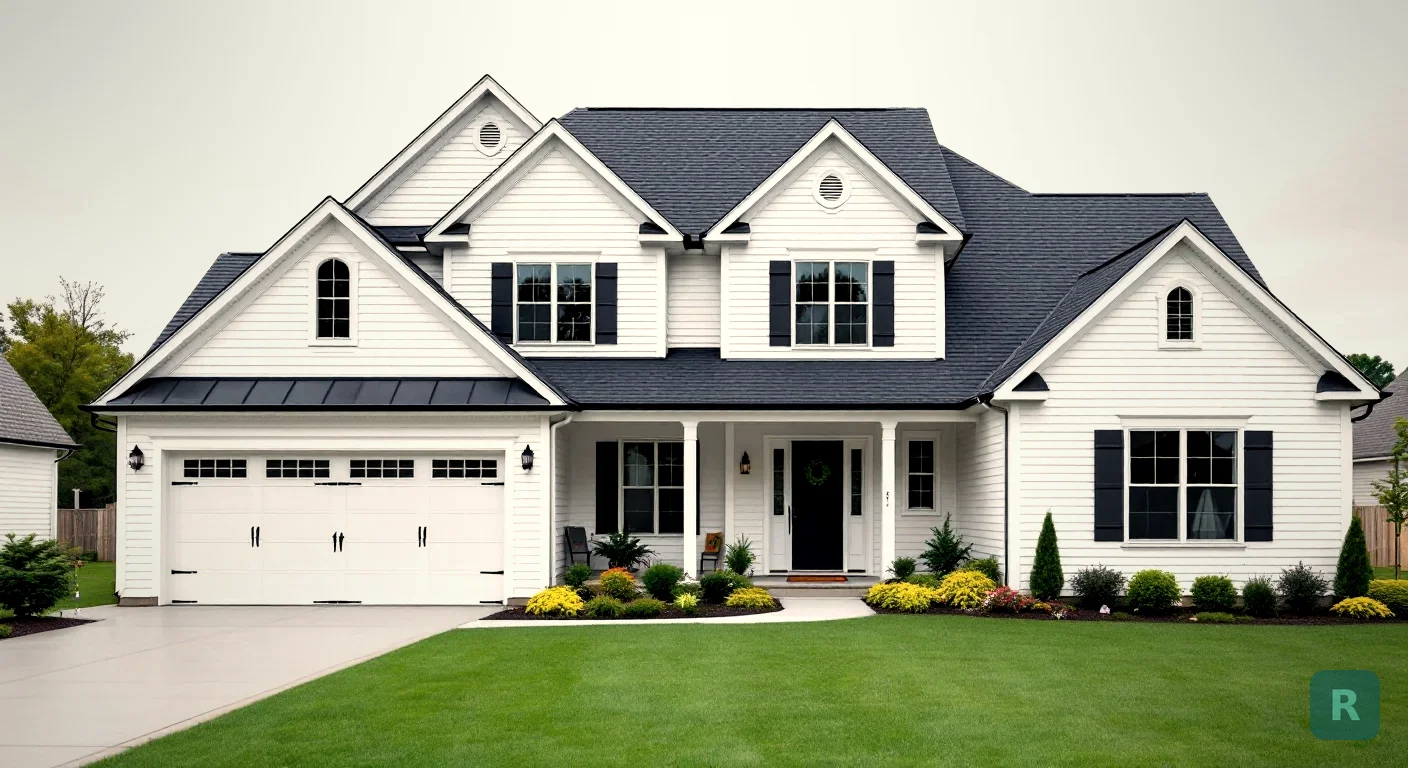
The Short Version
- The GAF Virtual Home Remodeler is free. Upload a photo of your house, pick a GAF shingle collection sold in your area, and try colors on your own roof.
- Your photo makes or breaks it. Straight-on, daylight, as much roof in the frame as you can get, no cars or people in the shot.
- You’ll need a Hover account to work on your own photo. GAF’s tool pages say so up front.
- Screen colors aren’t shingle colors. GAF says it plainly, and so will I. Get full-size samples before you sign.
- It answers “which GAF color,” not “what should my house look like.” That second question is a bigger one, and it’s worth answering first.
Picking a roof color is one of the strangest decisions a homeowner makes. You choose it from a chip the size of a playing card, then you look at it every day for decades. No wonder people freeze up.
I’ve spent 20+ years remodeling homes, and the hardest part of almost every job isn’t the building. It’s the client trying to picture the finished result. GAF built its Virtual Remodeler to fix that problem for roofs, and for what it does, it does a good job.
What the GAF Virtual Remodeler Actually Does
GAF is one of the big shingle manufacturers in the U.S. Its Virtual Home Remodeler is a free web tool that puts GAF roofing products on a photo of a house. You can use your own photo, or pick a sample home from GAF’s library if you’d rather not.
Here’s what it handles, based on GAF’s own tool pages and blog:
- Shingle collections and colors. You enter your zip code and see the GAF lines available in your area, then switch colors on your roof.
- Siding and trim. Extra edit tools let you change siding and trim colors, so you can see the roof against the rest of the house.
- Saving your work. Designs on your own photo can be saved, and you can come back to them later.
- A product list. The Download button gives you a PDF listing the products you picked.
- A path to a roofer. The tool links to requesting a quote from a GAF-certified contractor.
That last point tells you what the tool is for. It’s a good tool, and it’s also a sales funnel for GAF shingles and GAF-certified roofers. Nothing wrong with that. Just know which store you’re shopping in.
How to Use It, Step by Step
Stand across the street and shoot the house straight-on in daylight. Get as much roof as you can. Skip harsh glare, deep shadows, cars in the driveway, people and pets.
Click "Try it with your place" and upload. GAF's pages say you'll create an account with Hover to start remodeling your own photo. No photo handy? Use a library house that looks like yours.
This filters the shingle collections to what's sold near you. There's no point falling for a color you can't buy locally.
Run through the roof colors first. Then change the siding and trim to see how the whole front of the house reads together.
Save the design and download the product list. Bring it to every roofer you get a bid from, so they're all pricing the same shingle.
That fifth step matters more than people think. Comparing bids only works when every roofer prices the same scope. I tell homeowners this about kitchens and bathrooms all the time. The cheapest bid usually left something out, and a written product list makes that a lot harder to hide.
The Photo Is Where Most People Go Wrong
A visualizer can only paint what it can see. If half your roof is behind a maple tree, the tool has half a roof to work with.
Take your straight-on shot for the tool, then take a second photo from where you actually see the house most, like the end of the driveway or the sidewalk. Run your top two colors on both. A color that looks great dead-on can look different from the angle you see every day coming home.
Overcast days help, oddly enough. Flat light shows color more honestly than bright afternoon sun, which washes out darker shingles. Here in the Pacific Northwest, gray skies are most of the year, so your house spends most of its life in that light anyway. Shoot it the way you’ll live with it.
What It Won’t Tell You
The tool is honest about its own limits, and you should take those seriously.
GAF's own guidance says the colors you see on screen may vary from the actual product. Your phone, your laptop and your neighbor's tablet will each show the same shingle differently. Ask your contractor for full-size shingle samples and look at them outside, against your siding, at a few times of day.
Beyond color accuracy, there are a few things no roof visualizer can show you:
- What’s under the old shingles. A pretty picture says nothing about rot in the deck, which is where re-roof prices really move. I covered that in the roof renovation post.
- Whether you need a tear-off. Two existing layers usually means the next roof is a full strip, and that changes the bid.
- Non-GAF options. If you’re curious about metal, tile or another brand, this tool won’t show them. It’s GAF’s catalog.
- The bigger design question. It changes the roof, siding and trim colors. It won’t tell you whether the house should go modern farmhouse or stay traditional.
That last one is the gap I keep running into. Most homeowners don’t actually know what they want the house to look like yet. They know they don’t like what’s there now. Picking a shingle color before answering that is like picking cabinet hardware before you’ve picked the cabinets.
Where ReVision AI Fits In
For years my workaround was sending clients to Pinterest, then showing them photos of my past jobs. It sort of worked. But it never showed them their own house.
That’s why I built ReVision AI. You snap a photo of your house, pick a style or type a custom prompt like “charcoal roof, white board and batten siding, black windows,” and see your actual house in that look. It’s built for the big-picture question, not for matching a specific product. The exterior paint visualizer post walks through how the exterior side works.
The two tools do different jobs, and they work well together:
| Question | GAF Virtual Remodeler | ReVision AI | Full-Size Samples |
|---|---|---|---|
| What style should the house be? | Limited | Yes, any style or custom prompt | No |
| Which GAF shingle color? | Yes, real product lines | No, it shows a look, not a product | Yes |
| Metal, tile or other brands? | No | Yes, as a concept | Depends on the supplier |
| Exact color in real light? | No, screens vary | No, screens vary | Yes |
| Interior rooms too? | No | Yes | No |
| Cost | Free | 3 free, then Pro | Free from most contractors |
So here’s the order I’d use. ReVision AI to land on the look. GAF’s tool to pick the actual shingle. Real samples to confirm it before anyone orders material. Each step narrows it down, and none of them costs you much.
Not sure which direction your house is headed? Start here:
Curious how your own house would look in a new style? Try it free with ReVision AI and get 3 free transformations. You can see more before-and-afters in the gallery.
Your Roof Color Checklist
Measure twice, cut once. With a roof, that means looking three different ways before you commit.
- Decide the overall look of the house first, with a photo of your actual home
- Shoot a straight-on daylight photo with as much roof as possible and nothing in the driveway
- Enter your zip code in the GAF tool so you only see shingles sold near you
- Try roof, siding and trim together, not the roof by itself
- Download the product PDF and hand the same list to every roofer who bids
- Get full-size samples and look at them outside, morning and late afternoon
- Ask each roofer how many layers are on the roof now and how they'll handle rotted decking
Get Design Inspiration Weekly
Fresh room makeover ideas, renovation tips, and style guides delivered to your inbox.
Design tips and inspiration only. Unsubscribe anytime.
Related Articles
House Modification for Aging in Place: What to Change, Room by Room
A house modification plan for aging in place: ramp math, door widths, first-floor living, kitchen changes and who helps pay, room by room, from a carpenter.
9 min readGreen Remodeling: What Actually Saves Energy, Water and Waste
Green remodeling from a third-generation carpenter: keep what works, fix the walls while they're open, pick efficient fixtures, and skip the eco upsells.
8 min readHandyman Remodeling: Where a Handyman Job Ends and a Real Remodel Begins
Can a handyman remodel your bathroom or kitchen? A third-generation carpenter on state dollar limits, permits, and where a refresh turns into a remodel.
8 min read