The Best Free Home Remodel App (From a Contractor Who Uses One)
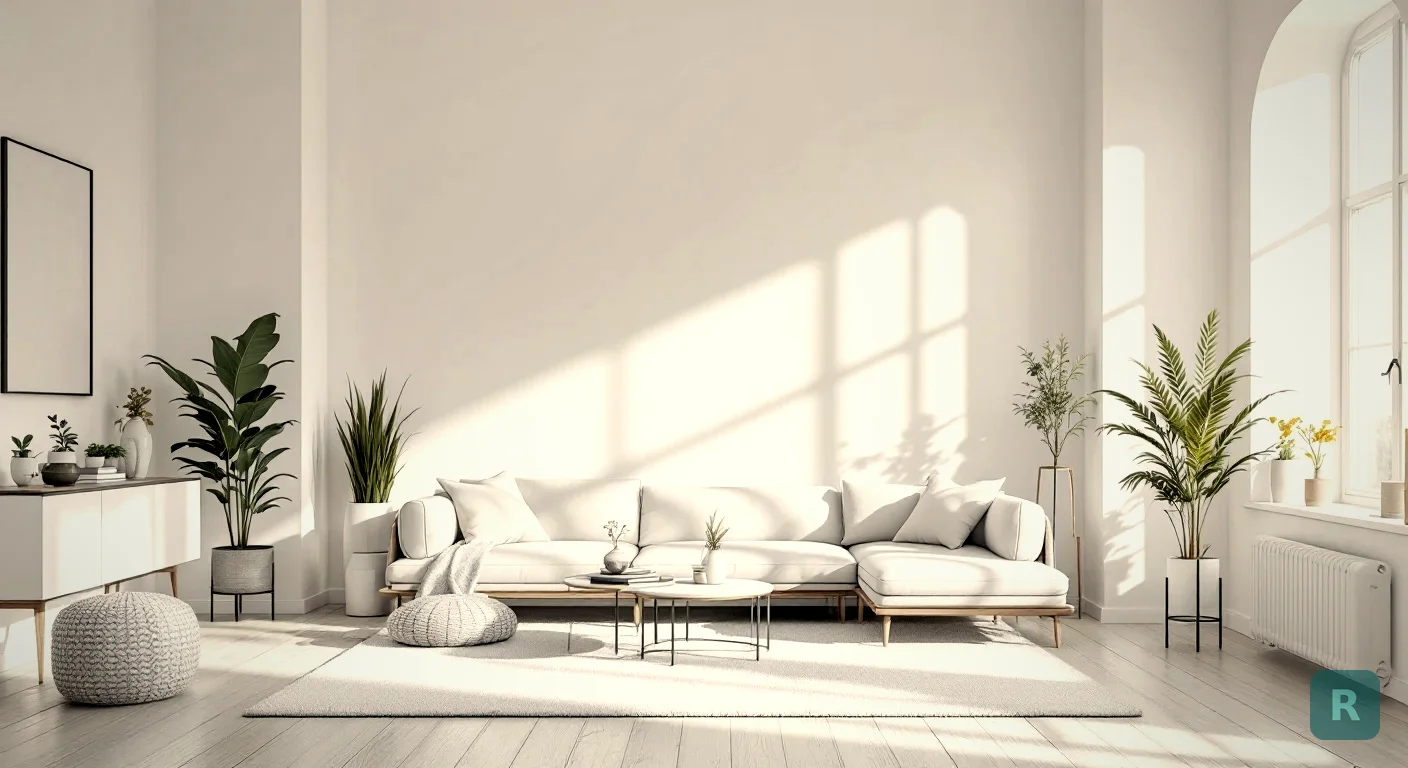
Most homeowners I meet have the same problem. They know they hate their current bathroom or kitchen. They just can’t picture what it should become. For 20+ years I bridged that gap with a Pinterest board and photos of my past jobs. Clunky. Now a good free home remodel app can show someone their actual room in a whole new style before I ever swing a hammer.
I’ve tested a pile of these apps, both on my own remodeling jobs and while building my own. Some are genuinely useful. Plenty are stock-photo generators with a download button. Here’s the honest breakdown.
Key Takeaways
- “Free” almost always means a credit cap. Expect 3 to 10 transformations before you pay or wait.
- Photo-based apps beat blank-room generators. If it can’t see your real space, you’re just browsing pretty pictures.
- Watch for watermarks, low resolution, and email walls on the free tier.
- The photo you feed it decides the result. Two minutes of setup beats any app upgrade.
- Use it to align with your contractor, not replace one. The app sells the vision, the pro builds it.
- Test with a hard room first. A cramped, ugly bathroom tells you more than a staged living room.
What A Home Remodel App Actually Does
Not all of these tools do the same job. That matters before you download anything.
Some apps are planners. They help you lay out a floor plan, measure a room, or track a budget. Useful, but they don’t show you a finished look. Others are visualizers. You feed in a photo, pick a style, and the AI renders your space transformed.
For most homeowners, the visualizer is the one that changes the conversation. Seeing is believing. You can read “modern farmhouse kitchen” a hundred times and still not know if you’ll like it in your house.
Don't test a free app on your nicest space. Point it at the dated bathroom or the cramped galley kitchen. If it makes that room look good, you've found a keeper.
The Four Types of Home Remodel Apps
Every app you’ll find lives in one of these four buckets. Knowing which bucket you’re shopping in saves you a weekend.
| Type | What It Does | Best For |
|---|---|---|
| Visualization | Shows what your room could look like in a new style | Deciding direction before calling a contractor |
| Budgeting | Estimates costs by room, square footage, or project scope | Setting a realistic spending range |
| Project tracking | Keeps notes, photos, receipts, and contractor updates in one place | Active projects already underway |
| Product shopping | Scans rooms for dimensions or finds matching products | Sourcing specific materials and fixtures |
Most homeowners need two of these at most. Pick the ones that match your stage.
A word on the other three, since I watch people lean on them wrong. Budgeting apps are trained on national averages, which means they don’t know your house is 80 years old, your plumbing is cast iron, or your subfloor has rot nobody can see yet. Treat the number as a floor and a ceiling, not a price. Project tracking apps only matter after you’ve hired someone, and the app matters less than the discipline: pick one channel and stick with it. I’ve had clients run a whole remodel through a tracking app and clients who just used a shared text thread with me. Both worked. What killed projects was spreading decisions across three places. Product shopping and AR apps live or die on scale. One that measures your room and shows products at true size earns its spot. One that plops a stock sofa into your living room for drama is a sales pitch for whoever built it.
Whatever number a budgeting app gives you, add 15-20% for surprises. If you're remodeling a house built before 1980, make it 25%.
What “Free” Really Means
Here’s where people get tripped up. Free rarely means unlimited.
Most apps run on a credit model. You get a handful of transformations to try, then you hit a wall. That’s not a scam, it’s just how the AI costs get covered. The rendering runs on real servers that cost real money.
The catches to look for are pretty consistent across the market. Know them going in.
- Credit caps. Usually 3 to 10 free renders per month.
- Watermarks stamped across the image on the free tier.
- Low resolution exports that look rough when you zoom in.
- Email or account walls before you can even see a result.
- Upsell timing. Some apps show you a great result, then lock the download behind a paywall.
None of these are automatically dealbreakers. A watermark on a preview is fine if the app nails the look. Just know what you’re signing up for before you get attached to a render.
Where the Paywalls Hide
The sneaky part isn’t that apps charge money. They should. Building good software costs real money, the same way building a good kitchen does. The problem is when the charge is hidden until you’re already invested.
Three spots I tell people to watch.
The locked export. You design a room, you love it, and then you can’t save or share the image without paying. The work was free. Keeping it costs you.
The blurred result. Some apps show you a low-res or watermarked preview and make you pay to actually see what you made. You did the work blind.
The trial that auto-bills. Free for seven days, then it quietly charges a yearly subscription. I’ve had clients get hit with a $70 charge they forgot was coming.
If an app asks for a card to start a "free" trial, set a reminder to cancel before it bills. Better yet, look for a free tier that needs no card at all. No card means no surprise charge.
Free Planner vs Free Visualizer
I get asked which type to grab. It depends on where you are in the project.
| Feature | Planner App | Visualizer App |
|---|---|---|
| Best for | Layout and budgeting | Style and design decisions |
| Input | Measurements, room shape | A photo of your room |
| Output | Floor plan, cost estimate | Photorealistic redesign |
| Helps you decide | Where things go | What it will look like |
| Sells the contractor | Rarely | Almost always |
If you already know your layout and you’re stuck on the style, a visualizer wins every time. If you’re moving walls and need to budget it, a planner earns its keep. Plenty of people end up using one of each.
Why I Built A Visualizer, Not A Planner
I’ll be straight about my bias here. I built ReVision AI because the visualizing gap was the one killing deals on my own jobs.
Most remodeling contractors are builders, not designers. I can frame a wall square and tile a shower tight. What I couldn’t do fast was help a nervous homeowner see the vision. Hiring a designer adds overhead most bathroom budgets can’t carry. So the deal stalls, because nobody commits to something they can’t picture.
That’s the whole reason a photo-based app matters more than a blank-room generator. Your kitchen, your light, your layout, transformed. Browse the before and after gallery and you’ll see what I mean. It’s a sales tool wearing a design tool’s clothes.
What This Costs Next to a Designer
Hiring an interior designer for a kitchen or bathroom usually runs between $2,000 and $8,000 depending on scope and market. For a lot of middle-class homeowners that’s a non-starter. It’s already painful enough writing the check for the remodel itself.
| Option | Cost | Turnaround | Best For |
|---|---|---|---|
| Free AI app | $0 | Seconds | Early-stage exploration |
| Paid AI subscription | $5/mo | Seconds | Trying many styles |
| Pinterest + contractor | $0 | Hours | People who already know their taste |
| Interior designer | $2K - $8K | Weeks | Full custom builds, high-end projects |
For most remodels I work on, the free route plus a real conversation is enough to get us pointed the right direction. We don’t need a designer to figure out the homeowner wants warm tones and shaker cabinets. We need a tool that lets them see it.
Shooting the Photo So the App Has Something to Work With
I’ve watched people blame the app for a bad render when the input was a dim, tilted phone shot taken from the doorway with a laundry basket in frame. Garbage in, garbage out. Same as any trade.
Here’s how I’d shoot it.
Back yourself into a corner of the room and shoot toward the opposite corner. You want two walls and the floor in frame so the AI understands the volume.
Flat, even light. Shadows read as dark cabinets or dirty grout and the render follows them.
Countertop appliances, towels, kid art on the fridge. Anything the AI has to interpret is something it can get wrong.
Tilting up stretches the ceiling. Tilting down flattens the floor. Level keeps the proportions honest.
Two minutes of setup, better results all day. Measure twice, cut once applies to photos too.
How To Test A Free App In 10 Minutes
You don’t need a week to know if an app is worth it. Run this quick gauntlet.
Good light, whole room in frame, shot straight on. No fancy angles.
Run something clean like Japandi and something warm like Modern Farmhouse. See how far the app can stretch.
Are your windows, doors, and dimensions still there? Or did it invent a new room? That's the whole test.
Know the credit cap, the resolution, and the watermark policy before you hand over a card.
If the app quietly redesigned your room into a space that isn’t yours, delete it. That’s a stock generator. The good ones respect your actual walls.
Red Flags I’d Walk Away From
Not every free app is being straight with you. The tells are the same ones I look for in a lowball bid.
A watermark burned across the render so you can't actually show it to anyone. A signup wall before you've seen a single result. And photo rights buried in the terms that let them use pictures of the inside of your house however they want. Read that last one.
The other one is the render that’s too good. If the output looks like a magazine shoot with light coming from nowhere and furniture that doesn’t fit the room, it’s generating fantasy, not your remodel. That render will get you excited and then get you disappointed when a contractor prices reality.
Where A Free App Helps On A Real Job
I use these renders on live jobs now, not just for fun. A few ways they earn their spot.
They settle style arguments. When a couple can’t agree, we render both and look at the same room two ways. Decision made in minutes instead of weeks. They set honest expectations. A homeowner who sees a realistic render is less likely to expect an HGTV miracle on a budget bid.
They also help me on the estimate side. If I can see the finish level a client actually wants, I can bid it right the first time. Fewer change orders. Fewer surprises. That protects everyone.
An app shows you the look. It won't tell you what's behind the wall. Rot, old wiring, and out-of-code plumbing still need a real contractor and an inspection. Use the render to plan, not to skip steps.
Two Mistakes I See Over and Over
Clients who’ve used these apps before calling me tend to arrive with one of two problems.
If the app gives you a custom marble pattern that doesn't exist in any real slab yard, you'll be disappointed when you can't source it. Use the render for style direction. Use a real material library for the actual specs.
The other is expecting the render to match the final build exactly. It won’t. The build will have your real grout color, your real hardware finish, your real lighting at 4pm in November. The app gives you the vision. The contractor delivers a version of that vision filtered through real materials and real light.
I tell every client the same thing. The render is a north star, not a contract.
FAQ
Will my room actually look like the render?
Mostly yes, if your contractor uses the same materials shown in the image. The render is a target, not a contract. Lighting, paint sheen, and exact tile patterns will vary slightly. The overall feeling is accurate.
Are free home remodel apps any good, or is it all upsell?
The good ones are genuinely useful inside their limits. A free tier that gives you a handful of real, unwatermarked renders of your own room is enough to make a style decision. The bad ones are stock generators that ignore your photo. The 10-minute test in this post separates them fast.
Can I use one if I’m doing the work myself?
Absolutely. A remodel app is arguably more useful for DIYers than for contractors. You don’t have a designer, you’re picking everything yourself, and having a clear visual reference before you buy materials saves real money on returns.
Do these apps work for outdoor spaces?
Some do. Most handle interior rooms first because that’s where most renovation budget goes. Decks and patios are starting to show up in newer releases, but interior results are still better.
Do I need to measure my room first?
Not for a visualizer. It works off the photo. You’ll want measurements before you buy anything or talk real numbers with a contractor, but you don’t need them to decide on a style.
Your Next Steps
You don’t need to overthink this. A free home remodel app is a low-risk way to get unstuck.
- Download a photo-based app and shoot your worst room, corner to corner, lights on.
- Run two opposite styles and see if it keeps your real space.
- Save the renders you love and note the ones you hate. Both are useful.
- Check the trial terms before you hand over a card.
- Bring the good ones to your contractor so you’re bidding the same vision.
- Browse the style options to figure out what actually fits your home.
Curious what your kitchen or bathroom could look like? Try it free with ReVision AI and run three transformations before you decide anything. Snap the photo, pick a style, and see the room you’ve been trying to describe.
Get Design Inspiration Weekly
Fresh room makeover ideas, renovation tips, and style guides delivered to your inbox.
Design tips and inspiration only. Unsubscribe anytime.
Related Articles
Retiling a Shower: When New Tile Is Enough and When It All Comes Out
Retiling a shower? A contractor explains regrout vs retile vs full tear-out, what's hiding behind old tile, what retiling costs, and how to pick the new look.
8 min readAverage Cost of Custom Cabinets: What You Pay Per Foot, and When It's Worth It
The average cost of custom cabinets runs $500 to $1,200 per linear foot installed. A carpenter explains what custom buys you, and when semi-custom is enough.
8 min readLuxury Remodeling: What You're Really Paying For (and What's Worth It)
Luxury remodeling costs more for reasons you can't see in photos. A contractor explains where the money goes, what reads high-end, and what's wasted spend.
8 min read