AI Furniture Design: How to See New Pieces in Your Room Before You Buy
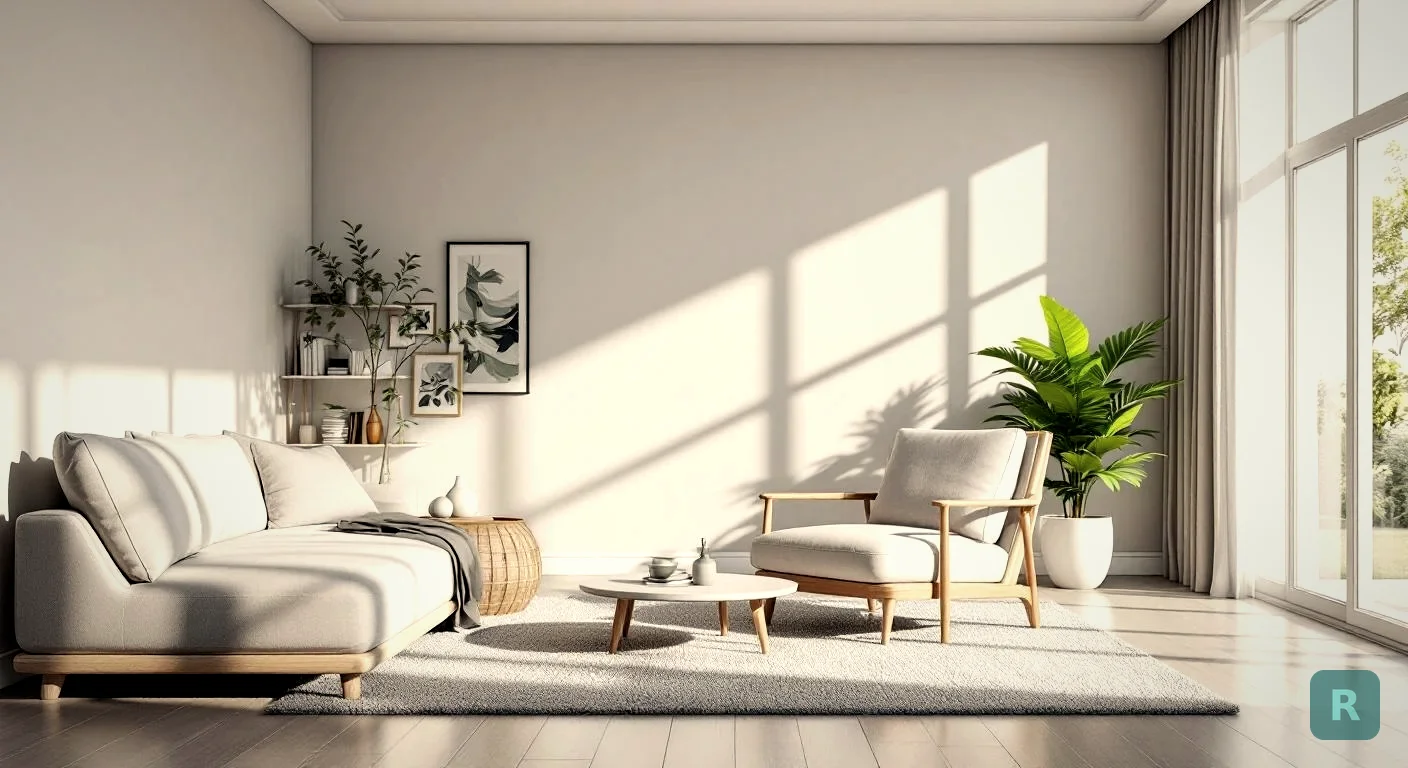
I’ve watched homeowners stand in the middle of an empty room for forty-five minutes, staring at a couch on their phone screen, trying to picture if it’ll fit. They never can. The dimensions on a website don’t tell you what a sectional actually does to a living room until it’s sitting there, and by then the truck is already gone.
That’s the problem AI furniture design tools are starting to solve. You take a photo of your room. The AI drops in a piece of furniture, or styles the entire space, and you see it before you spend a dime.
Key Takeaways
- AI furniture design renders new pieces inside a photo of your actual room, not a generic stock image
- The best tools handle full-room style swaps, not just single furniture placement
- Use it before you order a couch, before you commit to a remodel, and before you sign a contractor's bid
- It works on a smartphone in seconds and costs less than one bad furniture return
- Contractors can use the same tools to close deals without hiring a designer
What AI Furniture Design Actually Does
The category covers a few different things, and people lump them together. Single-piece visualization drops one item, a sofa, a bed, a coffee table, into a photo of your room. Style transformation restyles the whole room in a chosen aesthetic. Layout planning helps you arrange pieces in a 2D or 3D floorplan.
The most useful one for everyday homeowners is the second category. Why? Because furniture rarely lives alone. A new couch changes what rug works. A new dining table changes the lighting you need above it. Pieces talk to each other, and a tool that only shows one item at a time misses the conversation.
I’ve built hundreds of kitchens and bathrooms over twenty years, and the same pattern shows up every time. A homeowner picks one beautiful thing. A faucet, a tile, a vanity. Then everything else has to live with that choice, and they can’t picture how it lands until it’s installed. AI furniture design lets you have that argument with the room before the room has to absorb it.
Why “Use Your Own Photo” Matters
A lot of design apps show you furniture in stock photo rooms. That’s useless. The whole point is your space, your light, your weird load-bearing wall that nobody knows what to do with.
Tools that render furniture or styles into your actual room photo solve a real problem. They show you the wall color you already have, the floor you don’t want to replace, and the window that throws afternoon glare on the TV. The result is honest. You’re not falling in love with a couch in a magazine, you’re seeing it in your living room.
ReVision AI does this for full-room style swaps. Snap a photo, pick a style, see the room transformed in seconds. It’s the same thing I used to do for clients with rough sketches and Pinterest collages, except it actually shows their room.
Where AI Beats a Designer (and Where It Doesn’t)
A professional interior designer is great. They cost $50 to $200 an hour, sometimes more for high-end work, and a full room consultation often runs $1,000+. For a complete kitchen remodel that’s a fair price. For deciding if the gray sectional or the navy one works better in your living room, it’s overkill.
Here’s where AI tools win:
- Speed. A designer takes weeks. An AI render takes seconds.
- Cost. Free tier or a few bucks a month versus hundreds an hour.
- Iteration. Want to see ten styles? Try ten styles. A designer will give you two or three options.
- Privacy. No stranger walking through your house with a clipboard before you’re ready.
Here’s where AI tools lose:
- Hard structural decisions. Moving a wall, redoing plumbing, opening up a kitchen. AI won’t tell you what’s load-bearing.
- Custom millwork. A built-in needs a designer or a carpenter, not a render.
- Source recommendations. Most AI tools won’t tell you where to actually buy the couch they showed you.
- Material judgment. A designer knows that the engineered hardwood you picked won’t hold up to your three dogs. AI doesn’t know about your dogs.
How I Use It on Real Jobsites
Most of my clients can’t picture what their finished bathroom will look like. They know they hate the current one. That’s where they start, and they get stuck. For years my workaround was Pinterest boards and photos of past projects. It worked, sort of, but it was always somebody else’s bathroom.
Now I’ll snap a photo of their actual bathroom, run it through ReVision AI in a few different styles, and hand them their phone back with three or four options. The conversation changes immediately. Instead of “I don’t know what I want,” it’s “I love the second one but with the tile from the first.” That’s a productive design meeting in five minutes flat.
This is what I mean by closing the design gap. Most contractors are builders, not designers. Hiring a designer adds $1K-$3K to a project that’s already stretching the budget. AI furniture design tools fill that gap for free or nearly free.
The Three Use Cases That Pay for Themselves
I’d put AI furniture design to work in three specific situations. Each one saves more than the tool costs.
Before a Big Furniture Purchase
A sectional, a dining table, a king bed. Big pieces are expensive to return and harder to live with if they don’t work. Take ten minutes and visualize before you buy. I’ve seen $3,000 sofas sent back because they swallowed the room. A free render would have caught that.
Before You Hire a Contractor
Walk into the contractor consultation with a clear vision. You’ll get a better, more accurate bid. Indecision during a project is the single biggest cost driver outside of hidden surprises behind the walls. Every “actually, can we change that?” adds time and money. Decide in your head before you decide on his Sawzall.
Before You Commit to a Style
Some styles look great in a magazine and weird in your house. Modern Farmhouse in a 1920s craftsman feels off. Industrial in a small bedroom feels heavy. Render your space in three or four styles before you order a single can of paint. The visual answer is usually obvious once you see it.
What to Look For in a Good AI Furniture Design Tool
Not all of these tools are created equal. A few things separate the useful ones from the toys.
| Feature | Why It Matters |
|---|---|
| Uses your own photo | Stock-room renders are useless for real decisions |
| Multiple style options | Comparing options is the whole point |
| Photorealistic output | Cartoonish renders don't help you commit |
| Fast results | If it takes 5 minutes per render, you'll quit after two |
| Mobile-first | You're standing in the room with your phone |
| Reasonable free tier | You should be able to test before paying |
A tool that nails all six of those is rare. Most stop at two or three. The closer the render gets to a real photo, the better the decision you’ll make.
Common Mistakes Homeowners Make With AI Design Tools
I’ve watched people use these tools wrong enough times to spot the patterns.
- Trusting bad input photos. A blurry, dark, or weirdly-angled photo gives you a weird render. Take a clean shot in good light.
- Skipping the comparison step. One render isn’t a decision. Generate three to five and put them next to each other.
- Treating it as final. AI gets the look right, not the engineering. Confirm dimensions, materials, and structural impacts the old-fashioned way.
- Forgetting context. A bedroom that “looks great” in render might be in a hot south-facing room that needs blackout curtains. The AI doesn’t know that.
- Skipping the contractor conversation. Show your contractor the render. Don’t assume he’ll like it just because you do. A good contractor will tell you what’s possible and what isn’t.
Always confirm your AI render against real-world constraints. The tool doesn't know your room is south-facing, your floor can't take a 600-pound bookshelf, or your HVAC vents are right where you want the bed. Ground every render in reality before you spend money.
What Free vs Paid Tools Get You
Most AI furniture design apps follow a freemium model. The free tier gives you a few renders to test the water, and the paid tier removes limits and unlocks higher-quality outputs.
Honest take: start free. If a tool can’t sell you on value with three to five renders, more renders won’t fix that. The good ones make their case fast. ReVision AI gives you 3 free transformations before asking for $4.99 a month, which is less than I spend on coffee in a single morning. If it saves you one bad couch return, it’s paid for itself many times over.
Will AI Replace Interior Designers?
No. Not even close.
Designers do work AI can’t touch. They source one-of-a-kind pieces. They negotiate trade pricing. They coordinate trades and timelines on million-dollar renovations. They know which manufacturer to call when the lead time on cabinets blows up.
What AI replaces is the part of design work that was always too small for a designer to bother with. Picking a paint color. Trying a couch in three positions. Seeing if Mid-Century Modern actually fits your house. Those decisions used to mean Pinterest boards, Photoshop hacks, or eyeballing it. Now they take seconds.
The designers I respect are already using AI tools as part of their process. It’s a multiplier, not a replacement.
How to Get Started Today
Here’s the order I’d run, whether you’re a homeowner trying to decide on furniture or a contractor trying to help a client see the vision.
Daytime, room lights on, shoot from a corner so you capture the most of the space. No clutter on the floor.
Pick styles that are actually different from each other. Comparing two minimalist styles teaches you nothing.
Save each render to your phone. Look at them side by side, not one at a time. Patterns jump out fast.
A second set of eyes catches things you'll miss. Show the renders before you commit to a purchase or a remodel scope.
Measure the actual furniture you'd buy. Confirm structural and HVAC constraints with someone who knows the trade. Then commit.
If you want to try this on your own room, download ReVision AI and run a few free transformations. It’s the closest thing to a designer in your pocket, and it costs nothing to find out if it works for the way your brain processes design decisions.
Your Next Move
- Take a photo of one room you’re not happy with
- Generate three different style renders of that room
- Save them and look at them side by side tomorrow morning with fresh eyes
- Show the favorite to your spouse, partner, or contractor
- Make one decision based on what you actually saw, not what you imagined
Get Design Inspiration Weekly
Fresh room makeover ideas, renovation tips, and style guides delivered to your inbox.
Design tips and inspiration only. Unsubscribe anytime.
Related Articles
Bathroom Designers: Who to Hire, What They Charge, and How to Prep
Bathroom designers come in four kinds and charge four ways. A contractor explains which one fits your remodel and how to show up ready to the first meeting.
8 min readApartment AI: How to Redesign a Rental You Are Not Allowed to Renovate
Apartment AI tools let renters see a redesigned space before spending a dollar. A contractor explains what actually changes a rental and what just wastes money.
8 min readAI Restaurant Design: Testing a Dining Room Before You Gut It
AI restaurant design turns a photo of your dining room into a finished concept in seconds. A remodeler's honest take on what it solves and what it hides.
8 min read