AI for Interior Design: What It Can Do, What It Can't, and How to Use It Right
I’ve been swinging hammers since I was a kid. Third-generation carpenter. I’ve sat at kitchen tables with hundreds of homeowners trying to explain what their space could look like, and I can tell you the number one thing that kills a remodel before it starts: the homeowner can’t picture it.
They know they hate the beige tile. They don’t know what they want instead. For twenty years I’d ask them to scroll Pinterest, then I’d pull out photos of jobs I’d finished, and we’d piece together a vision from a mood board stitched with hope and guesswork. It worked, kind of. But it never showed them their room any different than it was right now.
That’s what changed with AI.
What “AI for Interior Design” Actually Means
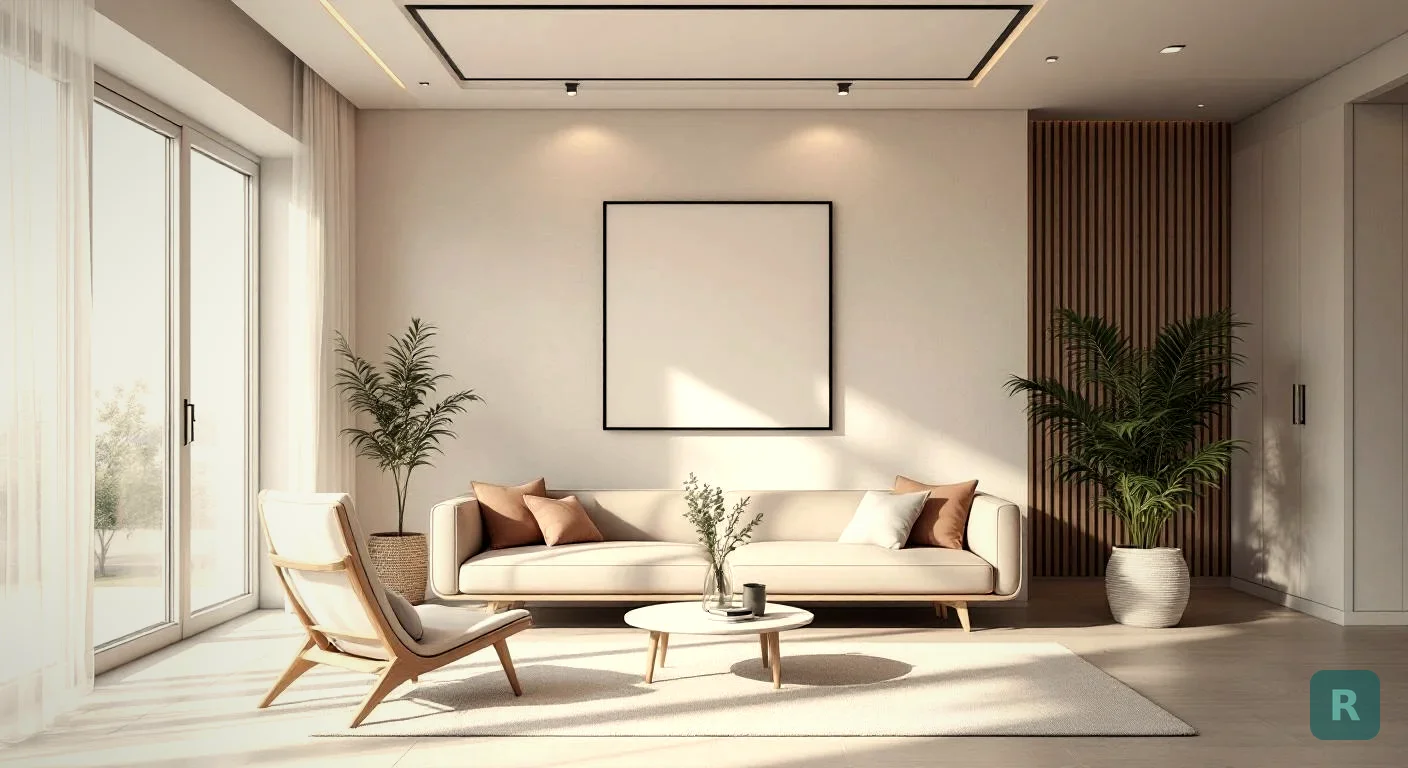
AI for interior design uses generative image models to transform a photo of your real room into a styled version, like Japandi or modern farmhouse, in seconds. No designer. No mood board. Just your space reimagined.
The phrase gets thrown around a lot. Some of it is hype. Here’s the short version.
Generative AI takes a photo you already have and produces a new image that keeps the room’s shape, windows, and layout while changing finishes, furniture, lighting, and color. The floor moves from tile to wide-plank oak. The cabinets swap from oak to painted shaker. The fluorescent box light becomes a pendant.
Some tools do it well. Plenty of them don’t. And the gap between those two camps is where homeowners get burned.
Why This Matters More Than the Marketing Suggests
Most remodeling contractors are builders, not designers. I’ll say that again because it’s important: the guy framing your wall is not the person who can tell you whether sage green or warm white makes the kitchen feel bigger. Those are two different skills. Most jobsites don’t have both.
Hiring a professional interior designer costs real money. For a bathroom remodel where the design fee alone could eat a quarter of the budget, it’s not happening. So the homeowner is stuck. They commit to a remodel without ever seeing what it’ll look like finished.
That’s the design gap. It has existed in this industry for decades.
AI is the first thing I’ve seen that actually fills it.
What a Designer Actually Costs
It helps to know what you’re comparing against before anyone says the word “free.”
A professional designer usually charges between $100 and $250 an hour depending on experience and market. An initial consultation alone runs $300 to $500. For a full kitchen or bathroom design package you’re looking at $1,500 to $5,000 before a single nail gets pulled.
That’s not unreasonable for what a good designer brings. Trained eye, trade relationships, material knowledge, and the ability to see spatial relationships most homeowners can’t. But it’s real money, and plenty of people skip the design process entirely because they can’t justify it on a mid-range remodel.
What they do instead is guess. Sometimes it works out. A lot of times it doesn’t.
Changing tile after it's installed runs $2,000 to $5,000 in demo and re-installation labor alone, before you buy new material. A visualization that costs nothing prevents that entirely.
Designer, AI Tool, or Pinterest Board
Each has a place. Here’s how I tell clients to think about it.
| Approach | Cost | Best For | Watch Out For |
|---|---|---|---|
| Pro designer | $500 to $5,000+ | Complex remodels, custom builds, whole-home redesigns | Overkill on a simple refresh |
| AI tool | Free to $5/month | Picking a style, narrowing options, getting unstuck | Won't redesign layouts or spec built-ins |
| Pinterest board | Free | Gathering inspiration, sharing ideas with a spouse | Other people's rooms, not yours |
The smart move is all three. Pinterest to find styles you like. AI to test them on your actual room. A designer for the heavy work if the project is big enough to need one.
Key Takeaways
- AI for interior design turns a real room photo into a styled preview in seconds, no designer required
- The best tools preserve your actual room layout, windows, and proportions while swapping finishes and furniture
- It's a decision tool, not a construction blueprint. Treat it like a mood board that lives in your pocket
- Homeowners who see their remodel before signing a contract commit faster and with fewer change orders
- Free trials let you test a tool before paying. Start there.
How the Technology Works (Without the Jargon)
Your phone takes a photo. The AI model reads the geometry of the room: where the floor meets the wall, where the window is, the ceiling height. Then it regenerates the scene with new surfaces and furniture guided by whatever style prompt you picked.
The good tools keep the bones of your room intact. Windows stay where they are. The door doesn’t move. The ceiling height reads right.
The bad tools? They invent rooms. You’ll feed in a photo of your kitchen and get back something that looks like a showroom in Milan that shares zero features with your actual space. Useless for decision-making.
If the output doesn’t look like your room, the tool isn’t working. That’s the test.
What AI Is Genuinely Good At
A few things. Keep this list short and honest.
- Style exploration. You think you want modern farmhouse. You generate it and realize you actually hate it. That’s a win before you’ve spent a dollar on cabinets.
- Spouse alignment. Two people with different tastes can look at the same generated photo and argue it out in five minutes instead of three weeks.
- Contractor conversations. Walking into a consultation with four styled versions of your bathroom gives the contractor something concrete to bid against. The estimate gets tighter. The scope gets clearer.
- Quick gut-checks. Will dark cabinets make this small kitchen feel like a cave? Generate it. Look. Decide in a minute.
What AI Is Not Good At (Yet)
I’m not going to oversell this. Here’s where the tools still miss.
Measurements and structural reality. AI doesn’t know your load-bearing wall from a pony wall. It’ll happily show you an open floor plan that would require a steel beam and a structural engineer. The image is inspiration, not a build plan.
Material accuracy. The counter in your render might look like Calacatta marble. The actual stone you’ll install has different veining, cost, and sealing requirements. AI doesn’t spec materials. It shows vibes.
Lighting and electrical. Those pendant lights floating over the island look great in the render. Your ceiling might not have an electrical box there. That’s a real line item in the budget.
AI renderings are for decision-making and mood-setting, not for building. Your contractor still has to translate what you love into real framing, wiring, plumbing, and finish schedules. Don't hand the render to the contractor and expect a quote to the dollar.
The Trap Everyone Falls Into
Most people pick a tool based on the prettiest example image on the homepage. That’s the wrong filter. Of course the homepage looks good. They cherry-picked it.
Test any tool on a photo of your actual room before you commit. The demos are the best it can do, not the average. Run your worst-lit kitchen photo through the free tier. If the result still looks believable, the tool is real. If it falls apart, move on.
I’ve seen tools produce stunning hero shots in their marketing and then mangle a normal iPhone photo of a normal kitchen. Lighting, angle, and clutter wreck a lot of the cheaper models. The good ones handle a messy real-world photo. The bad ones only work on staged scenes.
How to Actually Use AI for Interior Design (Start to Finish)
Wide angle, good lighting, clutter off the counters. The cleaner the input, the better the output. Mid-morning natural light works well in most rooms.
Generate the same room in three or four styles. You'll learn more from the comparison than from any single render. Save everything.
Send the renders to your partner, your mom, your contractor. The feedback loop is faster than any Pinterest board.
When you meet contractors, show the renders. The conversation shifts from "what do you want?" to "how close can we get to this?" Much easier to bid.
The render sets direction. The contract spells out materials, scope, and timeline. Those are different documents. Don't mix them up.
Free vs Paid: What You Actually Need
Most AI interior design tools offer a free trial. Use it. Generate two or three rooms in two or three styles each. That’s six to nine images, which is usually enough to know if the tool is worth paying for.
| Use case | Free tier fits | Paid tier worth it |
|---|---|---|
| One room, few styles | Yes | No |
| Full house remodel planning | No | Yes |
| Contractor using it with clients | No | Yes |
| Killing time on vacation ideas | Yes | No |
ReVision AI gives you 3 free transformations to start. If you need more, Pro is $4.99 a month. Compare that to a designer’s hourly rate. It’s not close. See the pricing breakdown here or browse what the transformations look like in the gallery.
What the free tiers actually get you
Marketing copy says “3 free generations.” Here’s what that means in practice.
Three renders is enough to test one room in three styles. It is not enough to compare cabinet finishes, flooring, paint colors, and fixtures in any meaningful way. On a real kitchen remodel you’ll want something closer to 15 to 30 renders before you’ve explored the space properly.
Most paid tiers run $4 to $15 a month, which is about what generative AI honestly costs to run.
Fewer than 3 free renders is a demo, not a tool. Ten or more and you can actually decide whether you like a style. More than $15 a month and you're paying for marketing, not features.
Read the Privacy Policy Before You Upload
Honest note, and it applies to my app as much as anyone’s. When you upload a photo of your home to any tool, you are handing a picture of the inside of your house to a company. Some are explicit about what happens to it. Some are vague.
Four things worth checking:
- Does the privacy policy say they train models on your photos?
- Can you delete your photos from their servers?
- Is your data sold or shared with third parties?
- Is the company behind the app real and identifiable?
I built ReVision AI partly because I wanted something I could hand to my own clients without wondering where their photos ended up. Bias acknowledged. Even if you pick a different app, do this homework. Your home is personal.
A Quick Word on the Design Gap (Why I Built This)
I’d lost jobs over this. Really. A family would love everything about the bid but couldn’t commit because they couldn’t see it. They’d stall. Six months later they’d call back or they wouldn’t. Either way, that’s a problem nobody in the industry was solving with anything better than Pinterest.
The design gap is not a tech problem for contractors to fix. It’s a decision problem for homeowners. And AI is the first tool that lets them make the decision without hiring a second professional.
That’s why I spent the last year building one.
Which Style Would You Even Pick?
Scroll through the full list of styles if none of those hit. There are eleven, including a custom prompt option if you want to describe exactly what you’re after.
FAQ
Will the AI version look exactly like my finished remodel?
No. It’ll look close in spirit. The specific tile, stone, wood grain, and hardware will differ based on what you actually buy. The point is direction, not reproduction.
Can my contractor just build from the render?
They can use it to understand what you want. They still need to spec materials, confirm structural feasibility, pull permits, and write a scope. The render is a starting point, not a finish line.
What if I don’t have a good photo?
Take one. Clean the room first. Shoot with the camera at chest height in landscape orientation. Natural light helps a lot.
Is this replacing interior designers?
For most middle-class homeowners, it’s replacing the designer they were never going to hire anyway. Designers still do great work on high-end projects where someone is paying real money for their judgment. AI covers the 80% of homeowners who need to see possibilities without a five-figure design fee.
What to Do This Weekend
Try it. That’s the shortest honest advice I can give.
- Pick one room you've been thinking about changing
- Clear off the surfaces and take one good wide-angle photo
- [Download ReVision AI](https://apps.apple.com/us/app/revision-ai-home-remodel/id6758485784) and run three free transformations in three different styles
- Save your favorite. Text it to whoever has veto power in the house.
- Use the winner when you start calling contractors.
You’ll know in about ten minutes whether AI for interior design is useful for your project. For most folks I’ve shown it to, the answer is yes, and the conversation about their remodel finally starts moving.
Try it free with ReVision AI and see your room in a style you’ve been curious about. Three transformations on the house.
Get Design Inspiration Weekly
Fresh room makeover ideas, renovation tips, and style guides delivered to your inbox.
Design tips and inspiration only. Unsubscribe anytime.
Related Articles
Bathroom Designers: Who to Hire, What They Charge, and How to Prep
Bathroom designers come in four kinds and charge four ways. A contractor explains which one fits your remodel and how to show up ready to the first meeting.
8 min readApartment AI: How to Redesign a Rental You Are Not Allowed to Renovate
Apartment AI tools let renters see a redesigned space before spending a dollar. A contractor explains what actually changes a rental and what just wastes money.
8 min readAI Restaurant Design: Testing a Dining Room Before You Gut It
AI restaurant design turns a photo of your dining room into a finished concept in seconds. A remodeler's honest take on what it solves and what it hides.
8 min read